
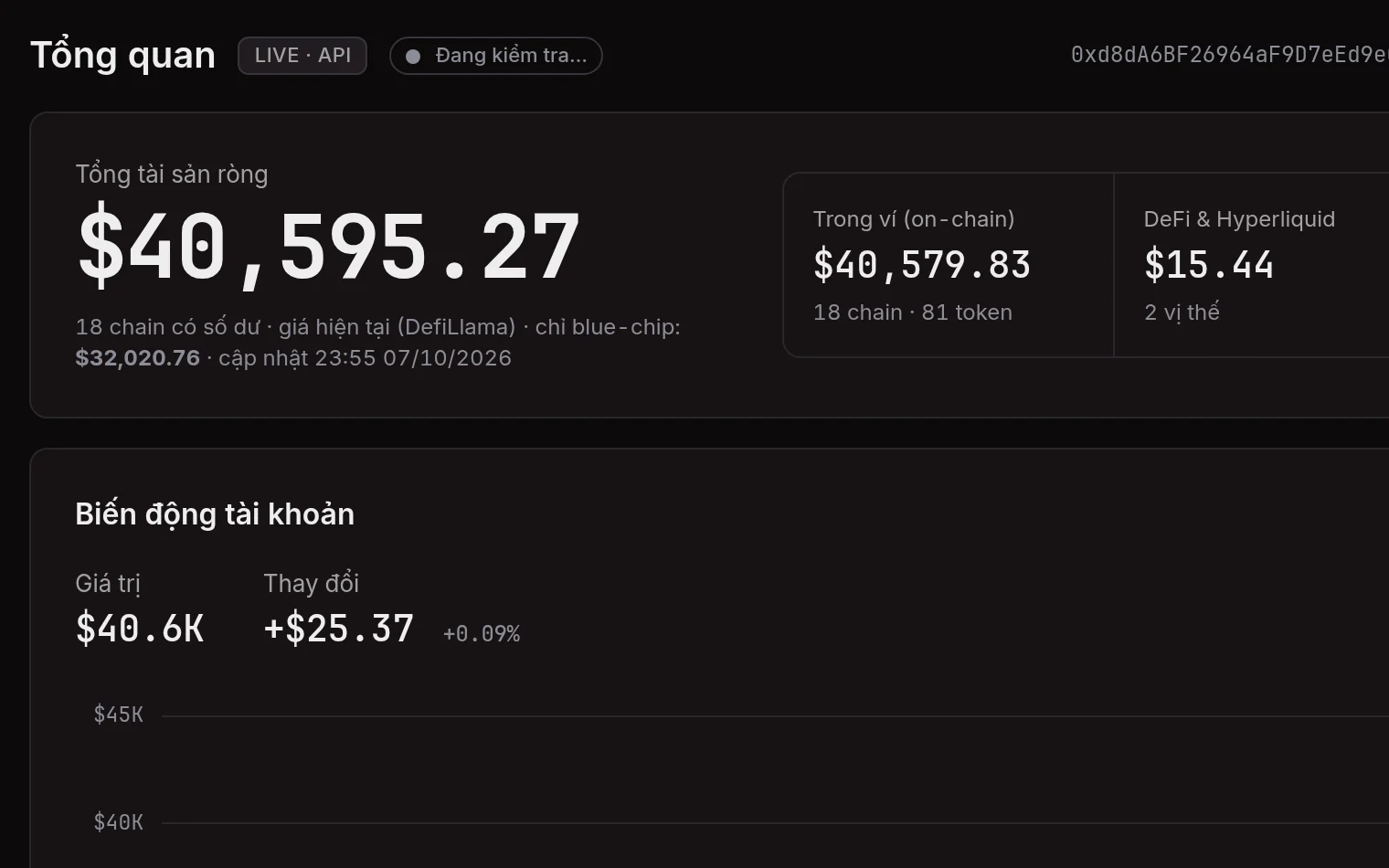
Multi-chain wallet
19 EVM chains, plus BTC, LTC, and DOGE addresses and xpubs. Tokens, DeFi positions (Aave, HyperLend), Hyperliquid perp, spot, and staking. Spam tokens filtered out.
kyoka.trade · Coming soon
Charts, orders, and on-chain data on one page. You sign orders in your wallet, and they go straight to Hyperliquid.

Terminal
Candles come straight from Hyperliquid over WebSocket. Your positions and orders show on the chart.
Every Hyperliquid timeframe, with the ones you use pinned. Candles, bars, line, area, Heikin-Ashi. UTC+7 axis and a close countdown.
Volume, MA, EMA, VWAP, RSI. Highs, lows, and filled orders marked on the chart.
Trend, ray, horizontal, vertical, rectangle, fib, arrow, freehand, text, measure, magnet. Drawings are saved per coin.
Entry, liquidation, TP/SL, and resting orders. Drag a line to change the price, then confirm and sign.
Click + on the price scale, or right-click, to place a limit at the cursor. On a phone, press and hold.
Balance, positions, open orders, TWAP, fills, order history, portfolio, order book. Move USDC between Spot and Perps.
Orders
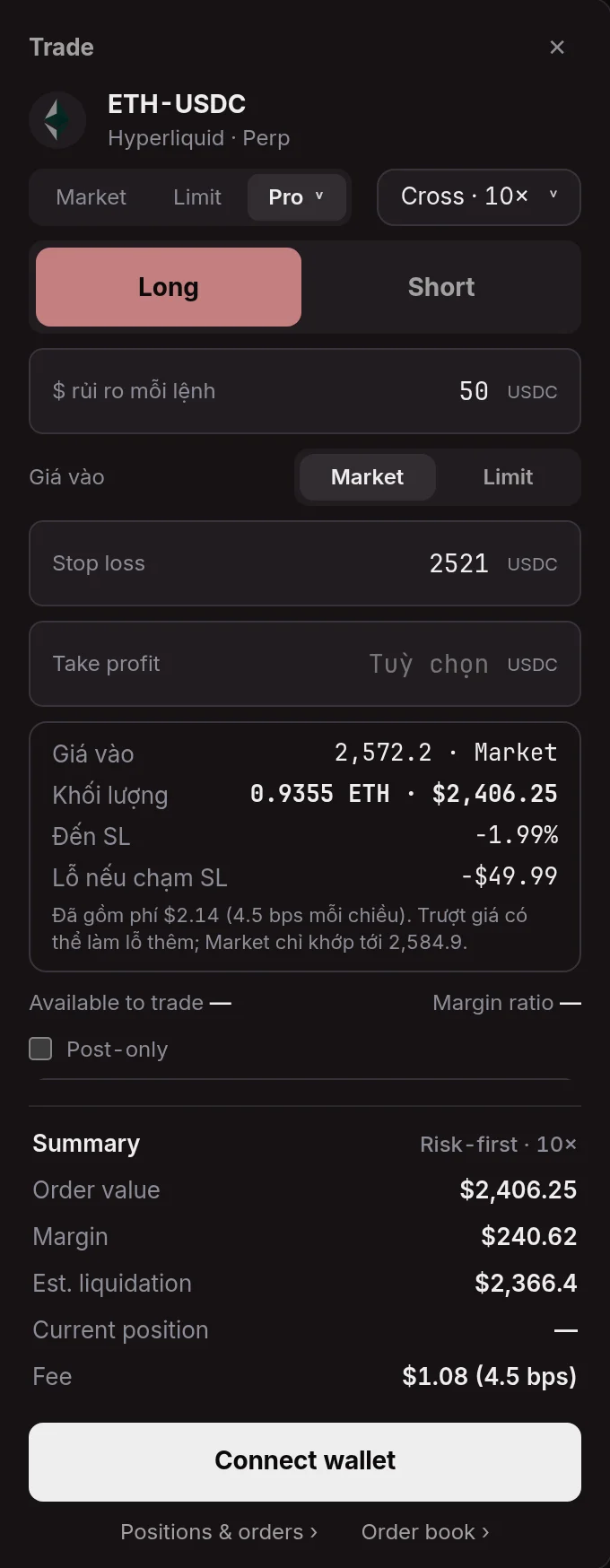
Market, Limit, and Pro: Stop market, Stop limit, Take limit, Take market, Scale, Risk-first, TWAP.
On-chain
A public address is enough. No wallet connection. Nothing is stored on the server.
19 EVM chains, plus BTC, LTC, and DOGE addresses and xpubs. Tokens, DeFi positions (Aave, HyperLend), Hyperliquid perp, spot, and staking. Spam tokens filtered out.
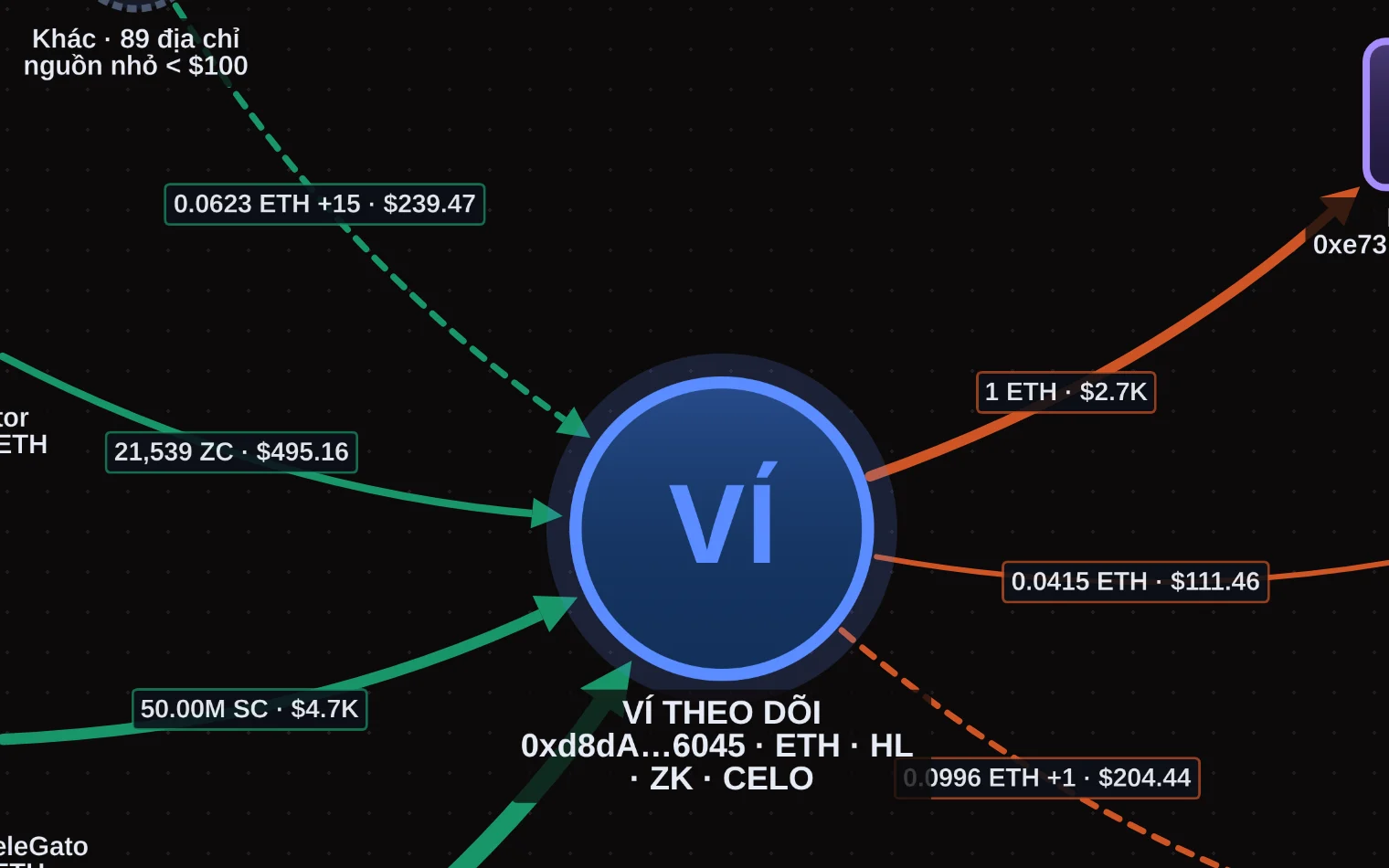
Who sent funds in, and where they went, two hops out. Small amounts grouped, spoofed addresses clustered, PNG export.
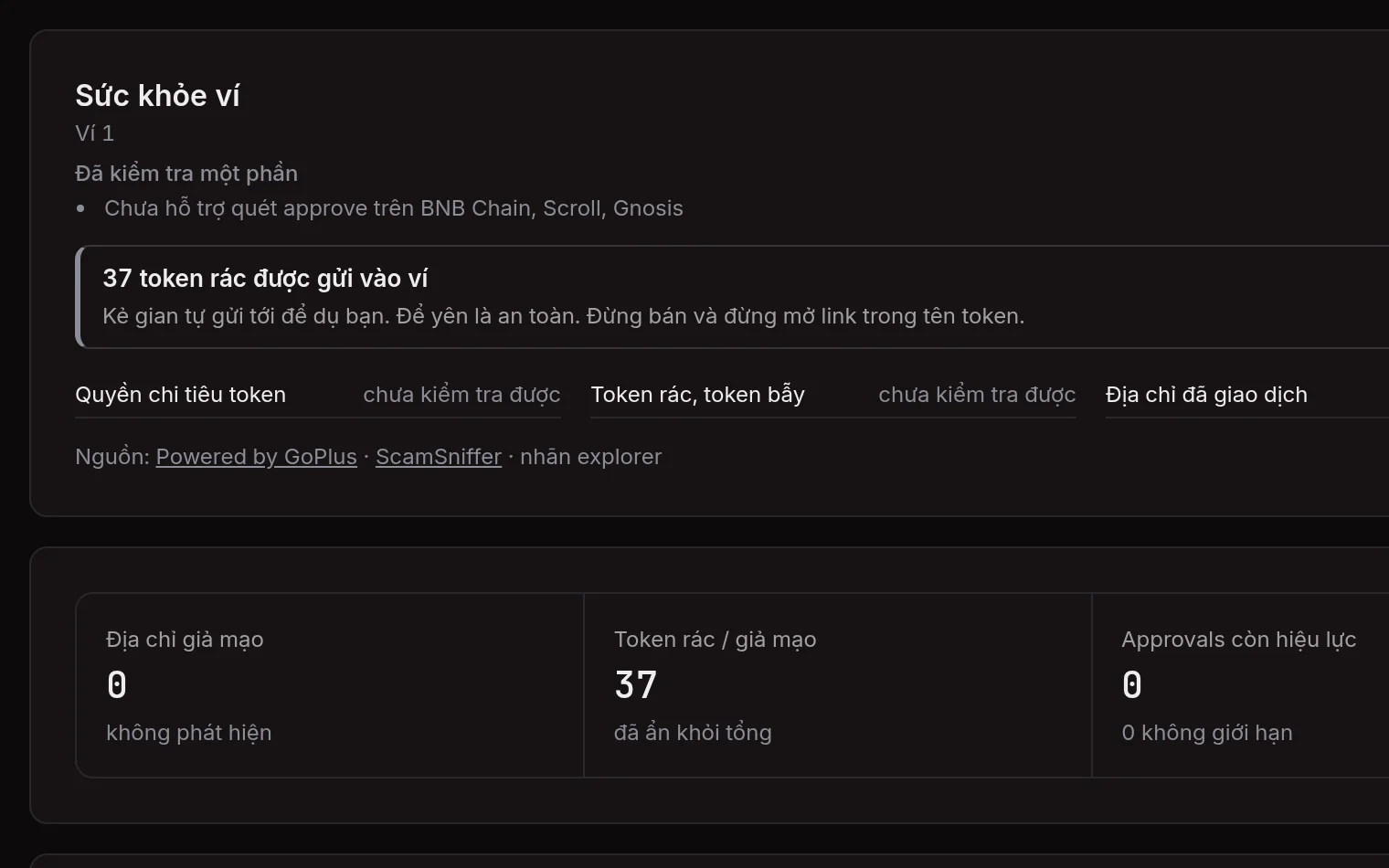
Active approvals, spam tokens, and spoofed addresses, checked against GoPlus and ScamSniffer. A source that fails is marked not checked, never marked safe.
Hyperliquid and EVM wallet value by day. Days with no data stay empty. Nothing is guessed.
Equity, PnL, positions, orders, fills, and funding for any address. Read only.
Monte Carlo
100 to 1,000 price paths for one Hyperliquid perp, 3 to 30 days ahead. It runs in the browser.
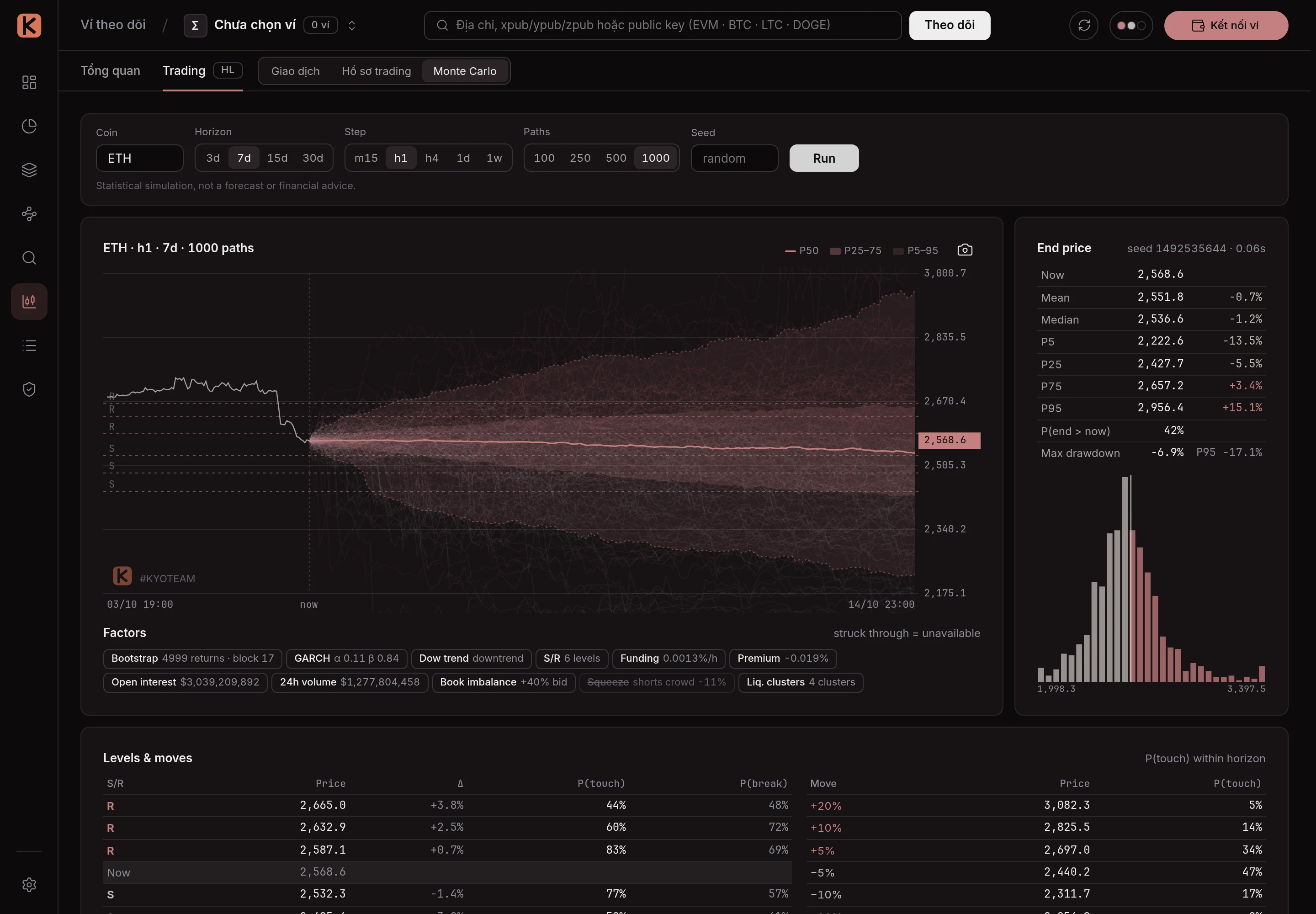
GARCH(1,1) on historical returns, resampled in blocks so fat tails and volatility clusters stay.
Trend from highs and lows (Dow), plus support and resistance. Each level has a break probability from history.
Funding, premium, open interest, volume, and the live book produce squeezes and liquidation clusters.
A statistical simulation, not a forecast or investment advice.
Security
Kyoka does not hold funds and cannot withdraw. Orders fill on Hyperliquid.
Viewing a wallet needs only a public address. To trade, connect an extension or WalletConnect.
Your wallet signs orders with EIP-712. The browser sends them straight to Hyperliquid's API, not through a Kyoka server.
Created in the browser, encrypted with AES-GCM, and stored on your device. It can place and cancel orders, not withdraw. It expires after 179 days, and you can revoke it on Hyperliquid's API wallet page.
Switch to Testnet and practice with play funds. Turn on Confirm before placing an order in Settings to review each order before you sign.
Launch
Live
The full product: terminal, orders, on-chain wallet, Monte Carlo. Open the browser and use it. No sign-up.
Try it on kyoka.devComing soon
The terminal's official address. At launch, saved wallets, drawings, and shortcuts on kyoka.dev move over in one step.
No launch date yet.
Partnerships
A project, exchange, or team that wants to integrate, send feedback, or partner: email Kyoka.